Operate an instance
This guide is for whoever runs a Taisce instance. It covers the whole job, in the order you meet it: getting an operator token, creating projects, handing out API keys, watching the instance, dealing with turns that failed, reading what extraction refused and what was erased, and keeping the ledger honest.
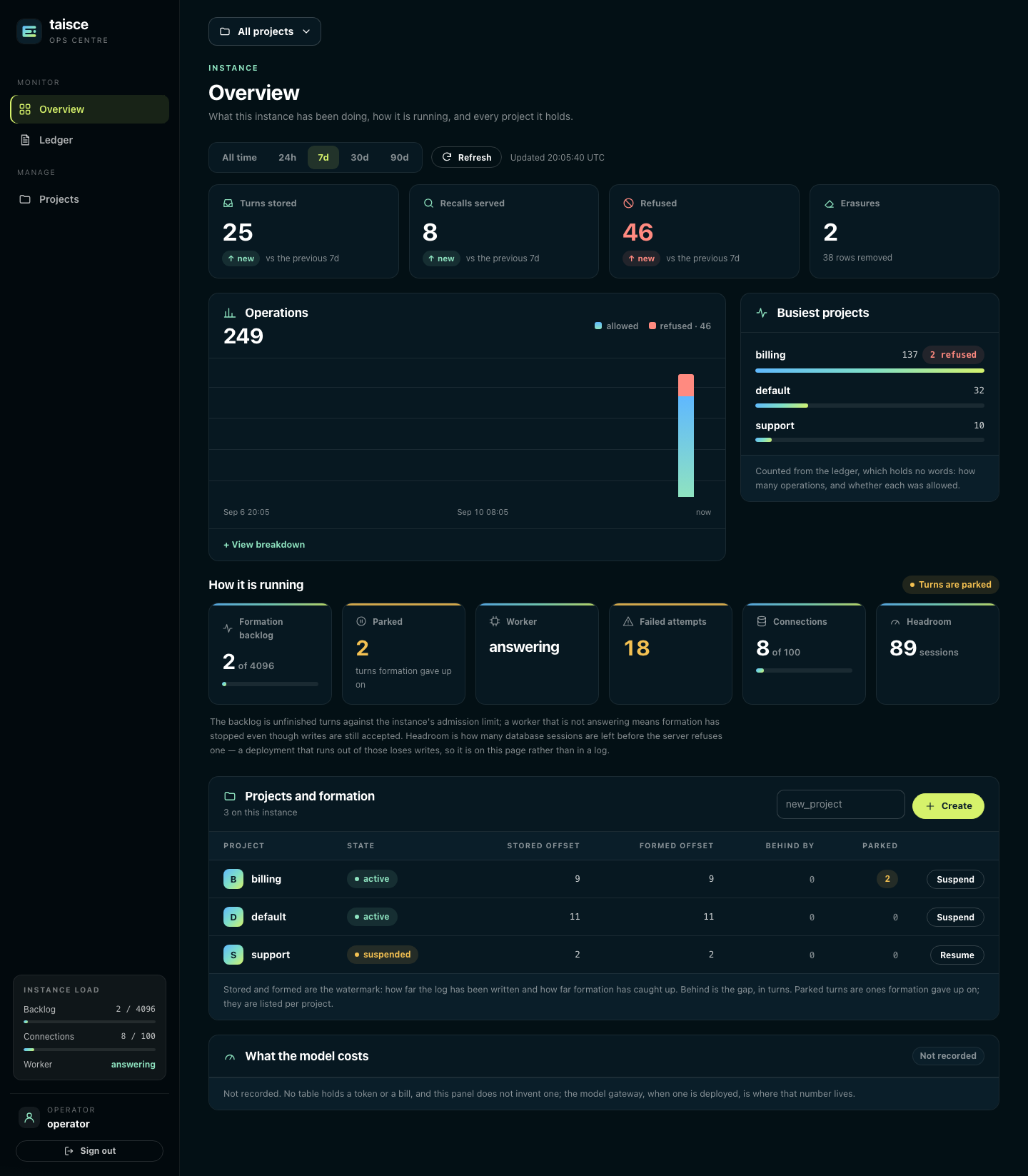
Three ways in, one set of powers
Everything an operator does can be done three ways. They reach the same operations, need the same credential, and write the same rows to the ledger. Pick whichever suits the moment.
| Surface | Where | Good for |
|---|---|---|
| The ops centre | /portal/ on the manage process, when switched on | Seeing the whole instance at a glance, and the everyday actions |
The taisce CLI | Any machine with the binary, or docker compose exec manage /taisce | Minting tokens, scripts, and the commands the ops centre does not offer |
| The management API | POST /manage/v1/… on the manage process | Automation from your own tooling |
All three take an operator token. An operator token manages the instance and cannot read or write memory: no message, fact, quote or subject is reachable with it, from any of the three. That is deliberate. It lets somebody run Taisce without being able to read what people told it. Reading memory needs a project token, through the memory API.
The manage process listens on 127.0.0.1:8081 by default: loopback only, on the host that runs it.
Get an operator token
Run Compose commands where the install lives. Every docker compose command in this guide runs in
the directory that holds compose.yaml and its .env. Compose reads the whole file on every command,
logs included, and refuses all of them until TAISCE_INFERENCE_API_KEY has a value, so a command
run anywhere else fails with an error about the model key even when you asked for a log. Docker
itself does not read the file, so docker logs <directory>-bootstrap-1 2>&1 shows the same output
from anywhere, where <directory> is the name of the directory the install was started in.
bootstrap, which Compose runs on the first start, mints the first operator token and prints it once:
docker compose logs --no-log-prefix bootstrap | grep 'operator token:'
operator token: tsk_…
Only a digest of each token is stored, so a lost token cannot be recovered. Mint another one. This command goes straight to the database, because you need an operator token before you can use either of the other surfaces:
docker compose exec manage /taisce operator issue alice
operator credential alice (…) reaches the management surface and no project
token: tsk_…
Give each person or system its own operator token, so the ledger says who did what. Keep tokens in
an environment variable or a secret store, never in a file you commit. To list operator tokens, run
taisce credential list without --project; to stop one working, taisce credential revoke <id>.
To point the CLI at the management API instead of the database, set both variables. The command refuses to run with one and not the other:
export TAISCE_MANAGE_API=http://127.0.0.1:8081
export TAISCE_OPERATOR_TOKEN=tsk_…
Credentials has the details.
Switch on the ops centre
The ops centre is off by default. Off, its routes do not exist: every /portal/ path answers
404, so a browser surface is never exposed by accident.
With Compose, set TAISCE_PORTAL=on and restart the manage service:
TAISCE_PORTAL=on docker compose up -d
Then open http://127.0.0.1:8081/portal/ on the same machine. From your laptop to a server, forward
the port rather than publishing it:
ssh -L 8081:127.0.0.1:8081 your-server
With Helm, set manage.portal: "on". Reach it with
kubectl port-forward svc/<release>-manage 8081:8081, or expose it with ingress.portal.enabled,
ingress.portal.host and TLS. The chart refuses to render a portal ingress while manage.portal is
off, because that ingress would expose the management surface's door instead. Write "on" in lower
case: the chart compares it exactly (#55).
Sign in
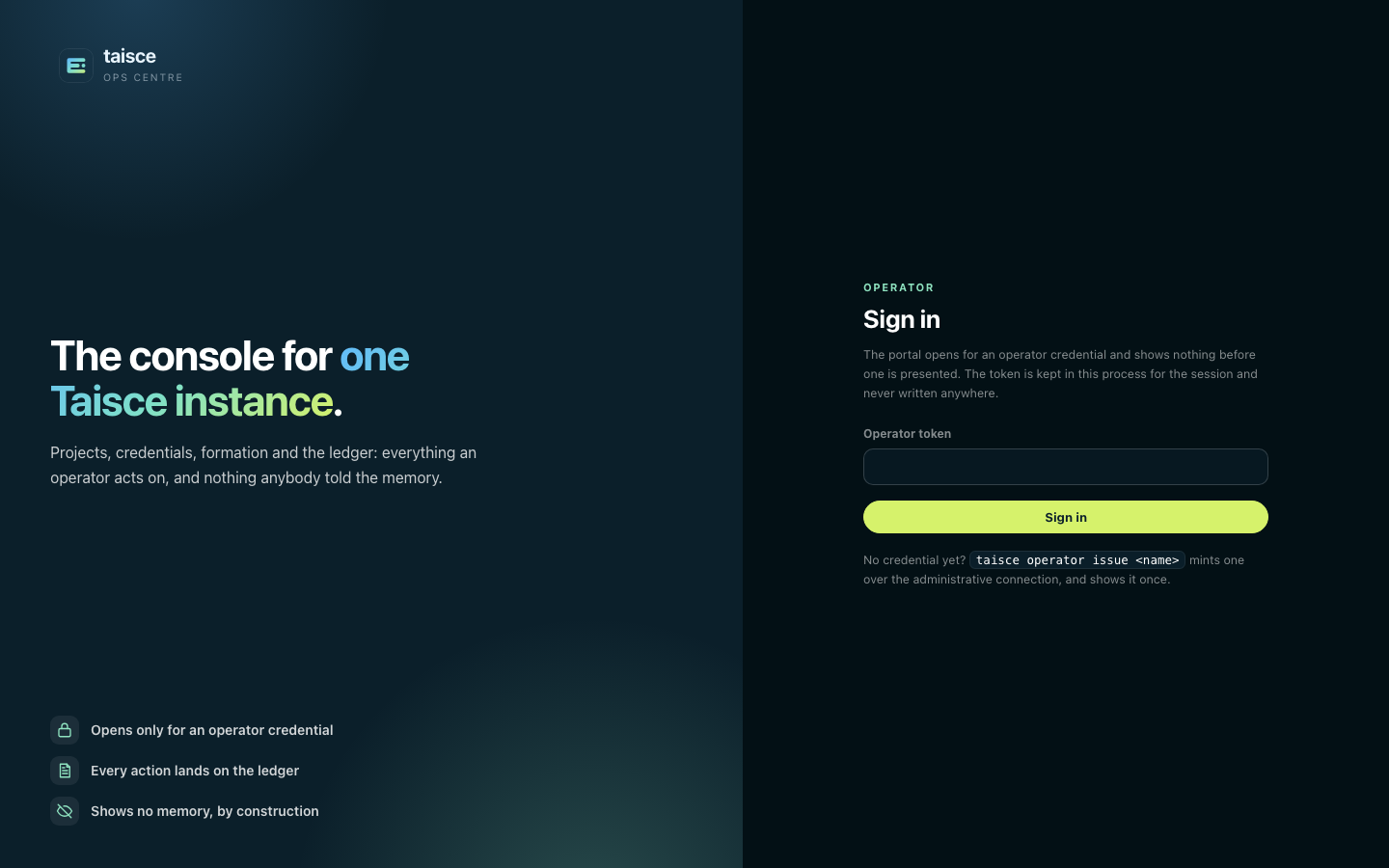
Paste an operator token. Only an operator token opens it: a project token, a revoked token or anything else gets the same Refused. and no session.
- The session lasts 12 hours and lives in the manage process's memory. Nothing about it is written down, so restarting the manage process signs everyone out.
- The token is checked again on every request. Revoke an operator token and that browser is sent back to sign in on its next click.
- Every form carries a per-session guard, and a form without it is refused. The pages load no script, no image and nothing from another origin.
- The session cookie is marked
Secureonly when the manage process itself terminates TLS. Behind an ingress that terminates TLS for it, keep the portal on a private network.
Projects
A project is one memory: its own log, its own facts, its own keys. Nothing crosses between projects, and a project token reaches exactly one. Keeping content apart with projects explains what stays separate.
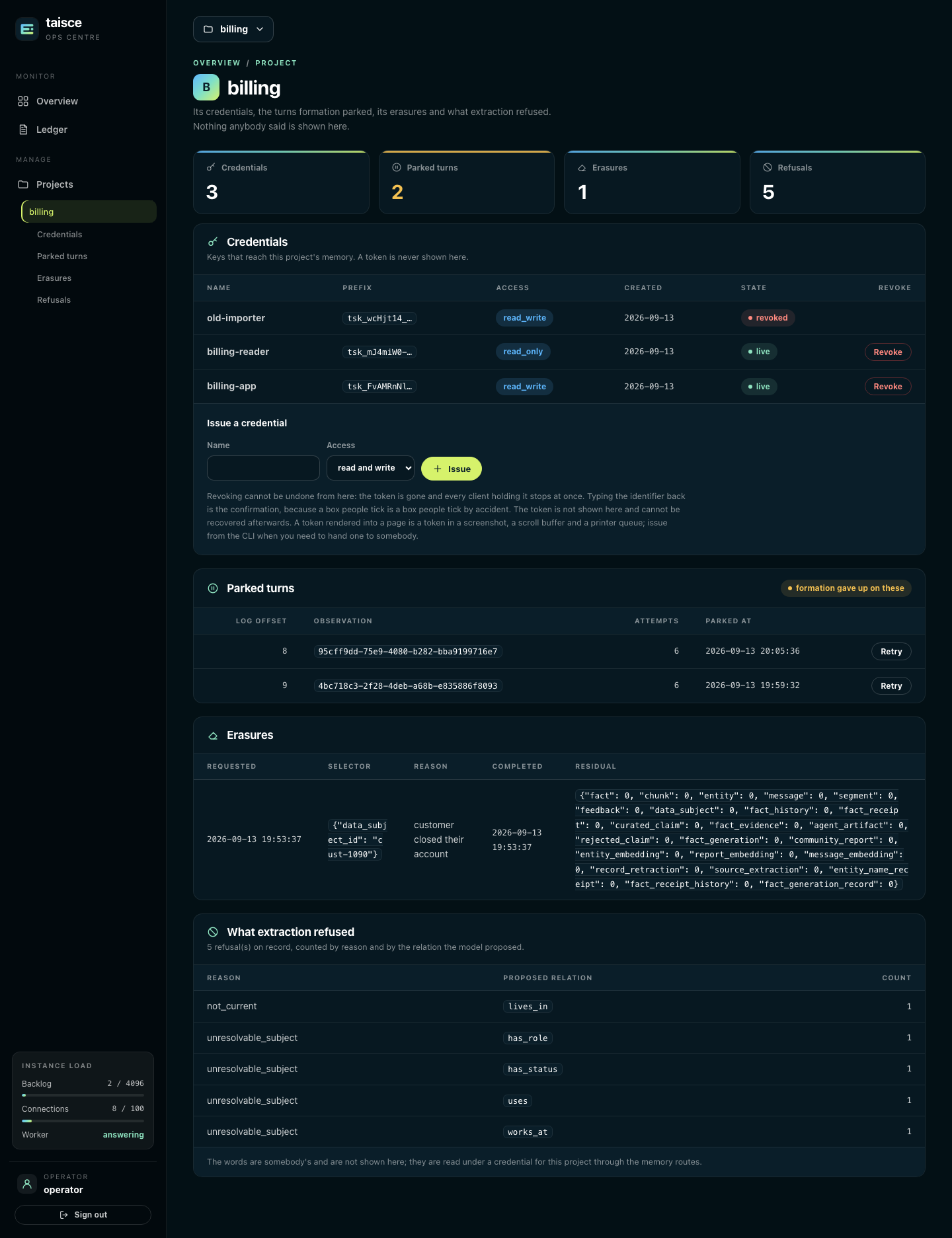
Create one
Names start with a lower-case letter and use lower-case letters, digits and _, up to 63 characters.
Creating a project that exists already is safe.
-
Ops centre: on the overview, type the name into the Projects and formation card and press Create.
-
CLI:
taisce project create billing -
API:
curl -sS -X POST http://127.0.0.1:8081/manage/v1/projects/create \-H "Authorization: Bearer $TAISCE_OPERATOR_TOKEN" -H "Content-Type: application/json" \-d '{"name": "billing"}'
See every project and how far it has got
The overview's Projects and formation table lists each project with its state (active or
suspended) and its watermark:
| Column | What it means |
|---|---|
| Stored offset | The newest turn written to the project's log |
| Formed offset | The newest turn formation has turned into facts, or – if none has formed yet |
| Behind by | The gap between the two, in turns. A steady non-zero number means formation is falling behind |
| Parked | Turns formation gave up on (see parked turns) |
From the CLI, taisce project list prints each project with its surfaces, retention and
[suspended]. The API's POST /manage/v1/projects/list returns each project's name, label, surfaces
and whether it is suspended, and POST /manage/v1/formation/status returns every project's stored,
formed and parked counts. An application reads its own project's watermark with GET /v1/freshness.
Suspend and resume
Suspending takes a project offline without losing anything: its keys are refused until it is resumed. Use it when a key has leaked and you have not yet found every copy, or while you investigate a project.
- Ops centre: Suspend or Resume on the project's row.
- CLI:
taisce project suspend billing,taisce project resume billing - API:
POST /manage/v1/projects/suspendor/resumewith{"name": "billing"}
There is no project deletion. Removing what people said is an erasure, which proves what it removed (see erasures).
Retention
Retention is how many days new turns are kept in a project. It is set from the CLI or the API; the ops centre shows nothing about it.
taisce project retention billing 365
taisce project retention billing indefinite
Whole days, 1 to 36,500. A new setting applies to turns written after it: deadlines already stamped on stored turns are not rewritten. Governance explains how expiry works.
API keys
A project token is what an application or an adapter uses to reach one project's memory. Every
token starts with tsk_.
| Kind | Reaches | Can |
|---|---|---|
Read and write (read_write) | One project | Every memory operation: save turns, recall, inspect, correct, erase |
Read only (read_only) | One project | Recall, inspect and export, but change nothing |
| Operator | The management surface, no project | Everything in this guide, and no memory |
Issue a key to hand to an application
Use the CLI or the API: they show the token, once.
taisce credential issue billing-app --project billing
taisce credential issue billing-reader --project billing --read-only
credential billing-app (…) reaches project billing with read_write access
token: tsk_…

This token is shown once and cannot be recovered.
curl -sS -X POST http://127.0.0.1:8081/manage/v1/credentials/issue \
  -H "Authorization: Bearer $TAISCE_OPERATOR_TOKEN" -H "Content-Type: application/json" \
  -d '{"name": "billing-app", "project": "billing", "access": "read_write"}'
Put the token where the application reads its secrets, and pass it to the client or adapter in code. No adapter reads an environment variable of its own. Issuing for a suspended project is refused.
The ops centre has an Issue form on each project's page, but it never shows the token: a token rendered into a page ends up in screenshots, scroll buffers and printer queues. A key issued there cannot be handed to anybody, so issue from the CLI or the API when an application needs one. Like the CLI and the API, the form refuses a project that does not exist or is suspended, and nothing is issued.
See who holds what
Each project's page in the ops centre lists its keys, newest first, revoked ones included:
| Column | What it means |
|---|---|
| Name | The name given when it was issued |
| Prefix | The first 12 characters of the token (tsk_ and 8 more). Match it against what a client holds without seeing the rest |
| Access | read_write or read_only |
| Created | The day it was issued |
| State | live or revoked |
taisce credential list --project billing and POST /manage/v1/credentials/list with
{"project": "billing"} return the same list.
Rotate and revoke
To rotate a key without downtime, issue a new one, deploy it, then revoke the old one. Revoking takes effect at once: every client holding the token is refused on its next request.
- Ops centre: Revoke on the key's row, then type the key's identifier exactly as the page shows it and press Revoke for good. Typing it back is the confirmation; nothing else revokes.
- CLI:
taisce credential revoke <credential id> - API:
POST /manage/v1/credentials/revokewith{"id": "<credential id>"}
The ops centre's form revokes only keys of the project whose page it is on. A key of another project, an operator key or an identifier that names nothing is refused, and nothing is revoked. To revoke an operator key, or any key by identifier alone, use the CLI or the API.
Credentials covers what each kind allows in detail.
Watch the instance
The ops centre's Overview is the instance at a glance. Everything on it is counted from the ledger and from PostgreSQL's own statistics, never from anything anybody said.
Activity
- Window. All time, 24h, 7d (the default), 30d or 90d. Refresh reloads the same view. The All projects switcher at the top narrows the page to one project.
- Cards. Turns stored, Recalls served, Refused and Erasures in the window, each compared with the previous window of the same length. Only Refused is coloured, because more refusals is the one movement that is always worth a look. Turns stored currently adds up messages rather than turns, so a turn of three messages counts three (#54).
- Operations. Allowed and refused operations over time. View breakdown lists each operation with how often it was allowed, how often refused, and how many rows it touched.
- Busiest projects. The six projects doing the most. Narrowed to one project, it becomes the six busiest operations in that project.
How it is running
Six tiles, and a status that says which of them needs you first:
| Tile | What it tells you | When to act |
|---|---|---|
| Formation backlog | Unfinished turns against the instance's admission limit (4,096 by default) | Near the limit, new turns are refused with 429 rate_limited. See the ingestion backlog |
| Parked | Turns formation gave up on, across every project | Any at all: see parked turns |
| Worker | answering if a worker has reported in the last 330 seconds | not answering means formation has stopped, even though writes are still accepted |
| Failed attempts | Formation attempts that have failed over the life of the instance: a running total kept in the database, so a restart does not reset it | Not the number, but whether it is still rising. A climbing count usually means the model is unreachable or refusing |
| Connections | Database sessions in use across the whole PostgreSQL server | Watch it as you add workers and API replicas |
| Headroom | Sessions left before PostgreSQL refuses a new one | Marked low at 10 sessions or a tenth of max_connections, whichever is larger. The next process to start may be refused |
The status reads Formation has stopped, Connections are low, Turns are parked, or Nothing needs attention, in that order of urgency. The same numbers appear in the rail on every page as Instance load.
What the model costs says Not recorded, because no table holds a token count or a bill. The model gateway, when you run one, is where that number lives.
From the CLI, taisce health prints the same aggregates, as a panel in a terminal or as JSON
otherwise. For a load balancer or an orchestrator, use the readiness endpoints in
readiness and health.
Turns that failed: parked turns
When forming a turn fails, formation tries again: six attempts in all, waiting 10 seconds before the second and doubling each time. After the sixth failure the turn is parked. Its words are kept, the watermark moves past it so the turns after it can form, and it waits for an operator.
A parked turn usually means the model was unreachable, timed out, or answered with something that was not the contract. Fix that first, or the turn parks again.
-
Ops centre: the project's page lists its parked turns with the log offset, the observation identifier, the number of attempts and when it parked. Retry queues one for formation again.
-
CLI:
taisce formation parked --project billingtaisce formation unpark --project billing <observation id> -
API:
POST /manage/v1/formation/parkedwith{"project": "billing"}, thenPOST /manage/v1/formation/unparkwith{"project": "billing", "observation_id": "…"}.
No surface shows why a turn failed, because the record that marks it parked is built so that it cannot carry a provider's error text or anybody's words. The worker's log has the error. Managing the ingestion backlog goes further.
What extraction refused
Extraction proposes facts, and Taisce refuses any it cannot stand behind. Each project's page counts those refusals by reason and by the relation the model proposed, never with the words:
| Reason | What it means |
|---|---|
unmapped_relation | The relation is not in the vocabulary, so there is nowhere to put it |
unlocatable_quote | The quote is not in the message: usually a paraphrase, occasionally an invention |
duplicate_claim | The same claim was already produced from this message |
not_asserted | The words are there but do not assert it: a denial, a hedge, a hypothetical, or someone else's statement reported |
unresolvable_subject | The subject is a pronoun or a "that" whose referent is outside the message |
not_current | It is stated in the past ("I used to live in Amman"), and storing it would invent when it was true |
conflicting_value | The same message gives two current values for something that can only have one |
not_spoken_by_principal | A first-person claim from someone other than the person, such as the assistant's "so you work at Ensera" |
entity_name_limit | A name is too long, or one spelling too many for a single entity |
Refusals are normal; a conversation full of thanks and small talk refuses a lot. Watch for a change:
a jump in unlocatable_quote or unmapped_relation after changing models usually means the new model
keeps to the contract less well. The words behind a refusal are somebody's, and are read under that
project's token through the memory API.
From the API: POST /manage/v1/refusals/summary with {"project": "billing"}.
Erasures
Erasing a person is a memory operation: the application does it with a project token
(POST /v1/erasures). What the operator sees is the receipt each erasure leaves on the project's
page:
| Column | What it means |
|---|---|
| Requested | When the erasure was asked for |
| Selector | Whom or what it named: a subject or source observations, as identifiers |
| Reason | The reason the caller gave |
| Completed | When it finished, or open if it has not |
| Residual | A count, by kind, of what still matched after the deletion. All zeros is a clean erasure |
A receipt with a non-zero residual is the one to follow up. Forget a person
explains how to read one. From the API: POST /manage/v1/erasures/list with {"project": "billing"}.
The ledger
Every operation on the instance, from every surface, is written to the ledger: who performed it, on which project, how much it touched and whether it was allowed. It holds no words.
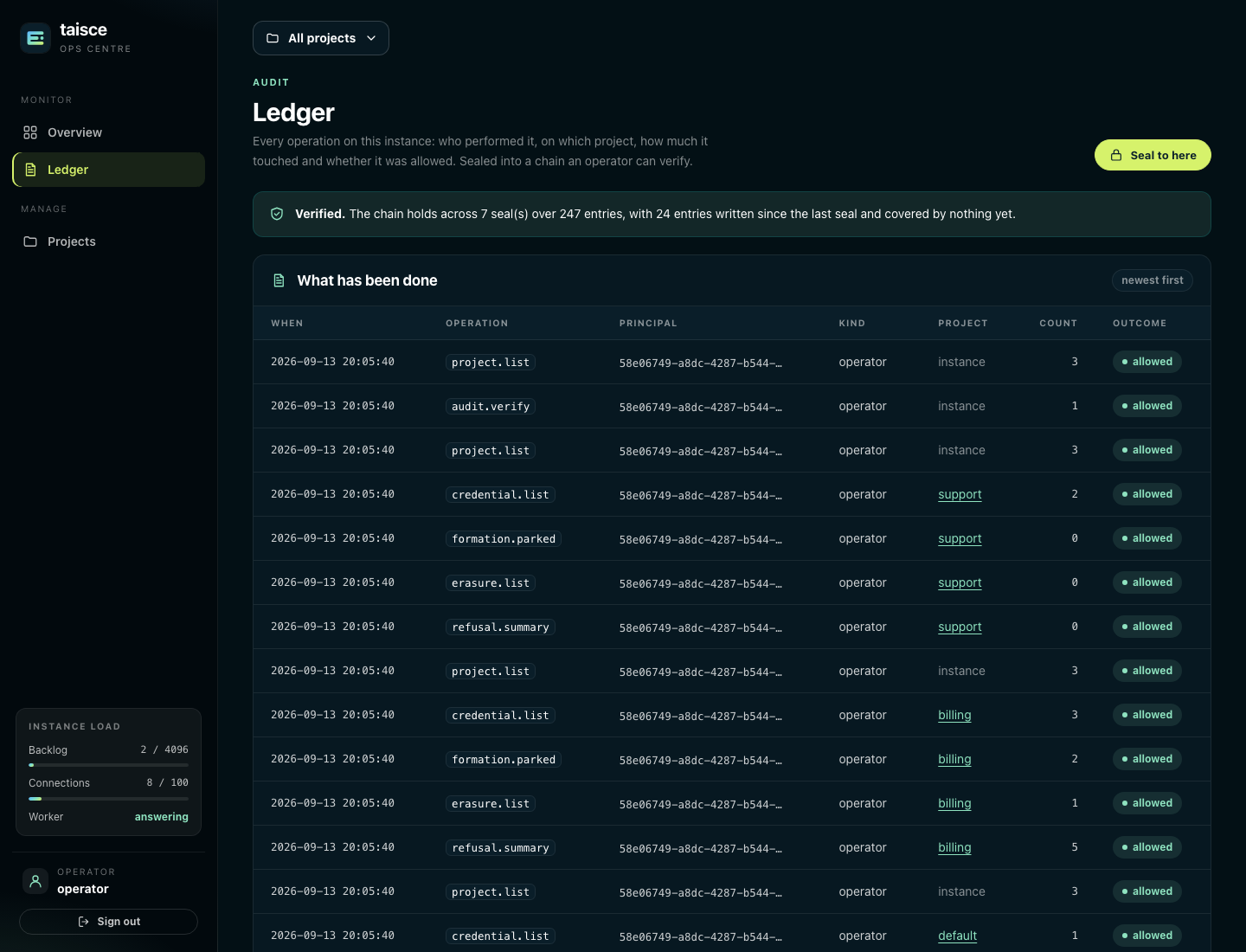
The ops centre's Ledger page shows the 100 most recent entries, newest first, and can be narrowed to one project:
| Column | What it means |
|---|---|
| When | When it happened, in UTC |
| Operation | The operation, such as observe, recall, credential.issue or authenticate |
| Principal | The credential that acted, or unresolved for a request that never authenticated |
| Kind | credential, operator or system |
| Project | The project it acted on, or instance |
| Count | How many rows or items it touched |
| Outcome | allowed or refused |
Refused sign-ins and requests with unknown tokens are recorded too, sampled at up to 16 a minute, so somebody guessing tokens shows up without flooding the ledger. The token they presented is never written.
Seal and verify
Sealing chains every entry written since the last seal into a digest, and the head of that chain is a fingerprint of the whole ledger so far. The worker seals every five minutes; you can also seal on demand. Verifying recomputes the chain.
- Ops centre: the Ledger page verifies every time it loads. Verified. says how many seals and entries the chain covers, and how many entries were written since the last seal. Not verified. says which seal broke and how. Seal to here seals on demand.
- CLI:
taisce audit seal, thentaisce audit verify, which exits 1 when the chain does not verify, but only when it talks to the database directly. - API:
POST /manage/v1/audit/sealandPOST /manage/v1/audit/verify. ReadValidin the answer: the call succeeds even when verification fails.
Write the head down somewhere the database cannot reach. A rewritten ledger cannot produce a head that matches one recorded earlier.
Recovery, rebuilds and storage
These are CLI commands, run with the administrative database connection, and the ops centre does not offer them:
| Task | Commands | Read |
|---|---|---|
| Restore derived rows from what is stored, without a model | taisce recover facts, taisce recover chunks | Recovering facts |
| Re-read turns with the model you have now | taisce rebuild project, status, cancel, facts, reports | Rebuilding facts |
| Limit what agents may store as state and files | taisce artifact limits | Agent state and files |
| Build and switch embedding generations | taisce embeddings, entity-embeddings, report-embeddings | Message embeddings |
The command line lists every command and flag.
What an operator cannot do
These are deliberate, and each holds on all three surfaces:
- Read memory. No message, fact, quote, subject or refused claim is reachable with an operator token.
- Purge an entity or erase a person. Both are memory operations and need a project token.
- See a token after it was issued. Only its digest is stored.
- Delete a project. An erasure removes what was said, with a receipt; a deletion would not.
- See why a turn failed, beyond the fact that it did. The worker's log has the error.
- See what the model cost. Nothing records it.